If you like building oddball hardware projects that are both useful and a little ridiculous, WalkPrint is a fun one. This project turns a Flipper Zero into a handheld controller for a small thermal printer, with an ESP32 acting as the bridge between the Flipper and the printer’s Classic Bluetooth connection.
The result is a compact setup that can print typed messages, .txt files from the Flipper SD card, and 384px BMP images without needing a PC in the loop. It is part practical tool, part hacking project, and part “because it would be cool if it worked” engineering exercise.
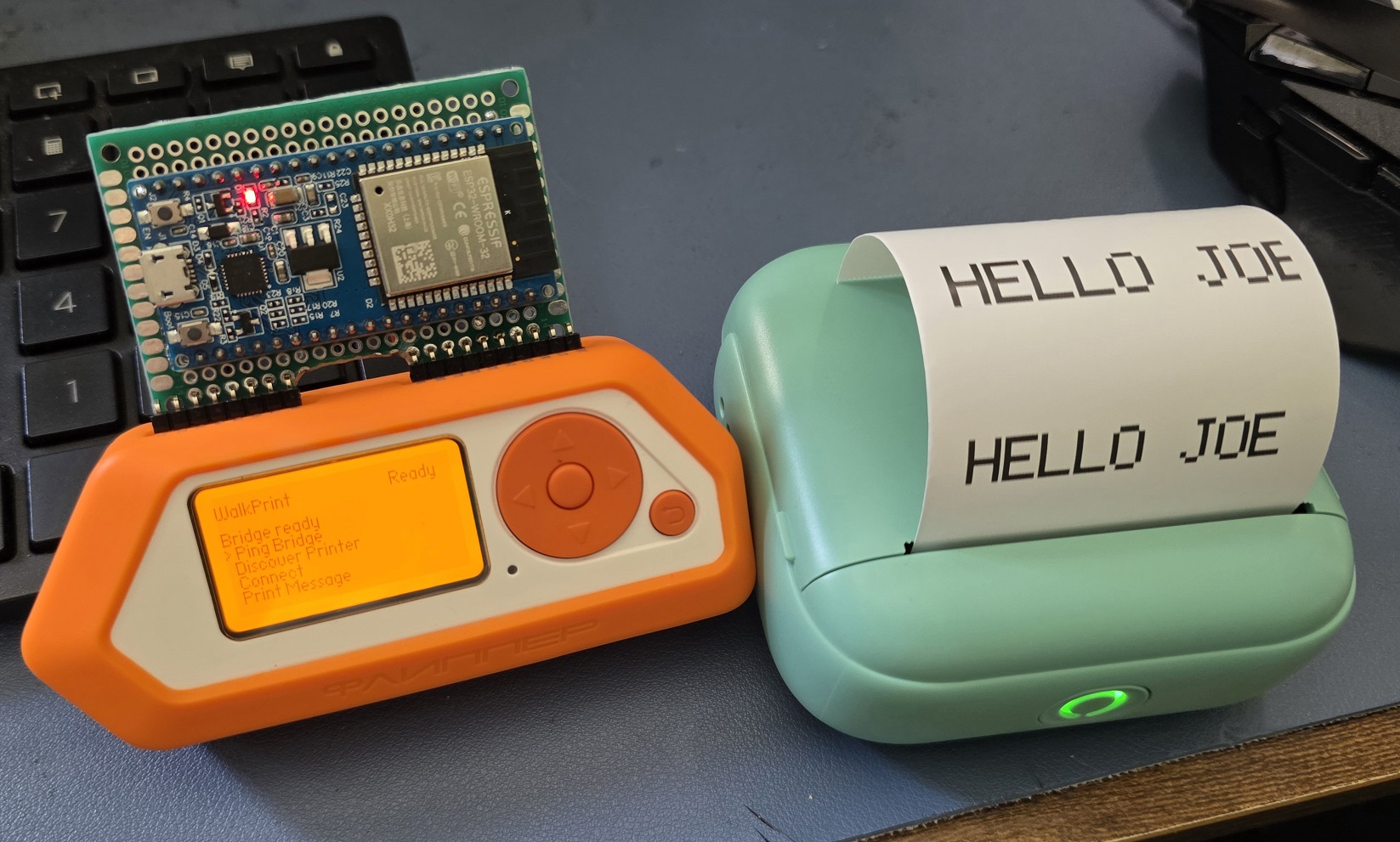
What WalkPrint Does
WalkPrint is a Flipper Zero external app built for WalkPrint / YHK-style thermal printers. Instead of trying to make the Flipper talk directly to a Classic Bluetooth printer, the project uses an ESP32 bridge over UART.
With that setup, the Flipper can:
- discover a nearby printer
- connect to it through the ESP32 bridge
- print a typed message
- print a
.txtfile stored on the SD card - print a
384pxBMP image from the SD card - feed paper
- run Wi-Fi scans through the bridge
That makes it useful for quick labels, jokes, ASCII art, tiny notes, one-off printouts, or just showing off a weird little portable printer rig.
Why Build It This Way
The Flipper Zero is great at interfacing with hardware, but it is not the ideal device for handling a Classic Bluetooth printer connection directly. The ESP32 is much better suited for that job. So WalkPrint splits the responsibilities cleanly:
- The Flipper Zero handles the UI, file selection, settings, and user interaction.
- The ESP32 handles Classic Bluetooth SPP discovery, printer connection, and raw printer transport.
That division keeps the Flipper app simple enough to be usable while letting the ESP32 do the radio-heavy lifting.
How It Works
At a high level, the project has three parts:
- The Flipper Zero app
The Flipper app provides the on-device menu system and print controls. From the app, you can select a message to print, browse for a BMP or TXT file on the SD card, tweak font settings, and manage the saved printer address.
- The ESP32 bridge
The ESP32 connects to the Flipper over USART at 115200 8N1 and translates commands from the Flipper into printer-side Bluetooth actions. It handles:
- Bluetooth printer discovery
- Bluetooth printer connect and disconnect
- raw printer byte writes
- Wi-Fi scan commands
- The printer
The thermal printer receives raw print data from the ESP32 bridge. For text printing, the Flipper renders text into a bitmap-style print payload. For image printing, the app reads a BMP from the SD card and streams it in the printer’s expected raster format.
Practical Uses
This kind of setup is useful anywhere you want a tiny self-contained print tool:
- printing quick labels in a workshop or lab
- handing out small notes, jokes, or event messages
- printing text snippets or saved templates from the SD card
- printing simple logos, icons, or meme images as BMP files
- building a portable demo rig for hardware meetups or hacker events
It is also just a good example of using the Flipper Zero as a front-end controller for another device that is better suited to handle the actual transport layer.
A Quick Note About the Bridge
There are two “bridge” concepts in this repository, and it helps to keep them separate:
- The ESP32 bridge is the one the Flipper Zero app actually uses. This is the hardware bridge required for the on-device workflow.
- The WalkPrint Bridge under
bridge/is an optional PC-side Python helper script. It can be useful for desktop-side testing or image workflows, but it is not required to use the Flipper Zero app.
Hardware View
Here is the back side of the module setup:
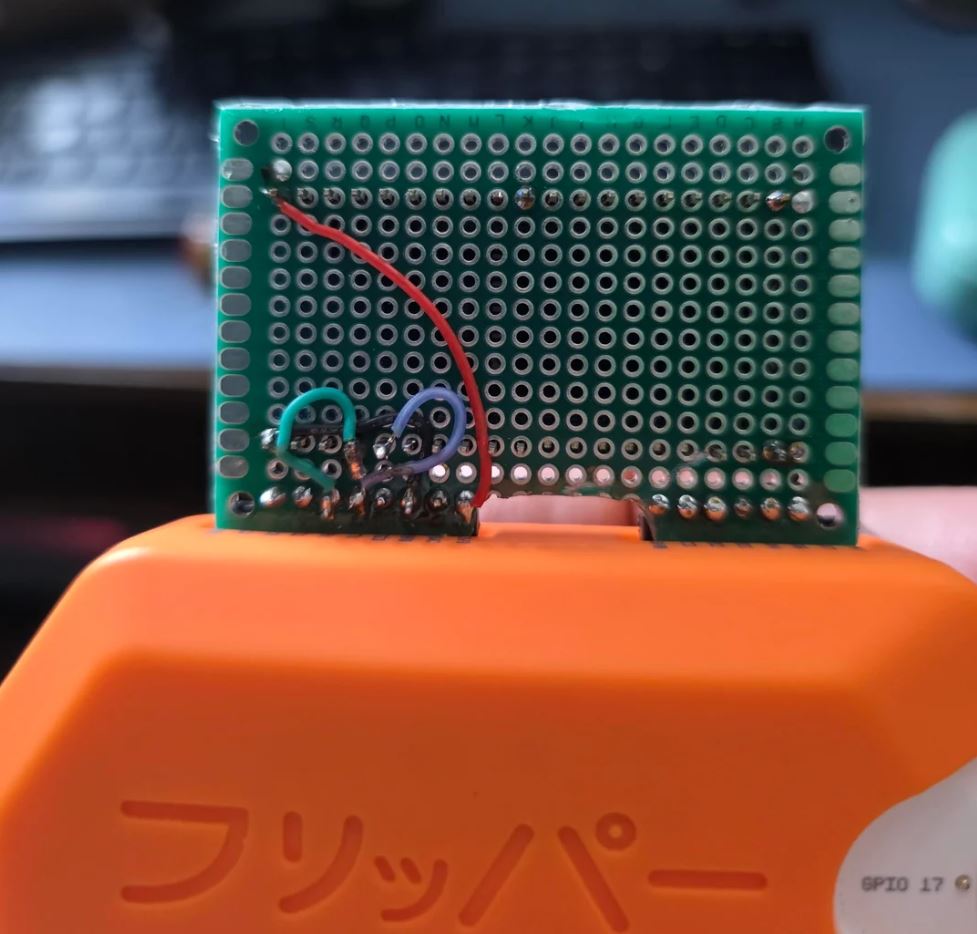
The ESP32 bridge connects to the Flipper through header pins and handles the communication path that the printer expects. That makes the whole setup feel much more like a purpose-built portable tool than a desktop tethered experiment.
Source Code and Build
If you want to explore the code, build it yourself, or follow along with the hardware setup, here are the main links:
- Source code: FlipperWalkPrint on GitHub
- FAP build / releases: Download the WalkPrint FAP
Final Thoughts
WalkPrint is one of those projects that sits right in the sweet spot between practical and entertaining. It solves a real integration problem, makes good use of the Flipper Zero as a UI and control surface, and leaves plenty of room for future improvements like richer printer status, better text layout, and more image tooling.
If you want a portable thermal printer project with a little personality, this is a solid one to build on.


0 Comments