If you have ever wanted to inspect Sub-GHz activity without jumping straight into protocol-specific decoding, FlipRSDR is a really practical middle ground. It turns a Flipper Zero into a raw timing capture tool that can stream pulse and gap durations to a desktop app in real time, save those captures for later, and now even accept remote-control commands back from the PC.
This project is built around a simple idea: preserve timing fidelity first, decode later if it makes sense. Instead of forcing everything through a protocol parser too early, FlipRSDR captures the ordered high/low timing structure exactly as it was seen and makes that data easy to view, record, replay, and analyze.
Why this project matters
A lot of RF tooling starts with assumptions about what signal family you are dealing with. That works well when you already know the protocol, but it can get in the way when you are exploring an unknown remote, checking burst structure, comparing timing consistency, or building your own tooling around raw Sub-GHz captures.
FlipRSDR solves that by focusing on:
- Raw pulse/gap timing fidelity
- Repeatable burst capture
- Lightweight transport over USB CDC or BLE serial
- A desktop workflow for live viewing and offline analysis
- Remote control from the PC back to the Flipper
That combination makes it useful for reverse engineering, troubleshooting, signal comparison, and building higher-level protocol analysis on top of a clean timing capture layer.
What FlipRSDR includes
The project is really three tools working together:
- A Flipper Zero external app for Sub-GHz raw timing capture
- A Windows receiver app for live ingest, waveform/waterfall viewing, recording, audio playback, and remote control
- A Windows analyzer app for offline review of saved recordings
The Flipper Zero app
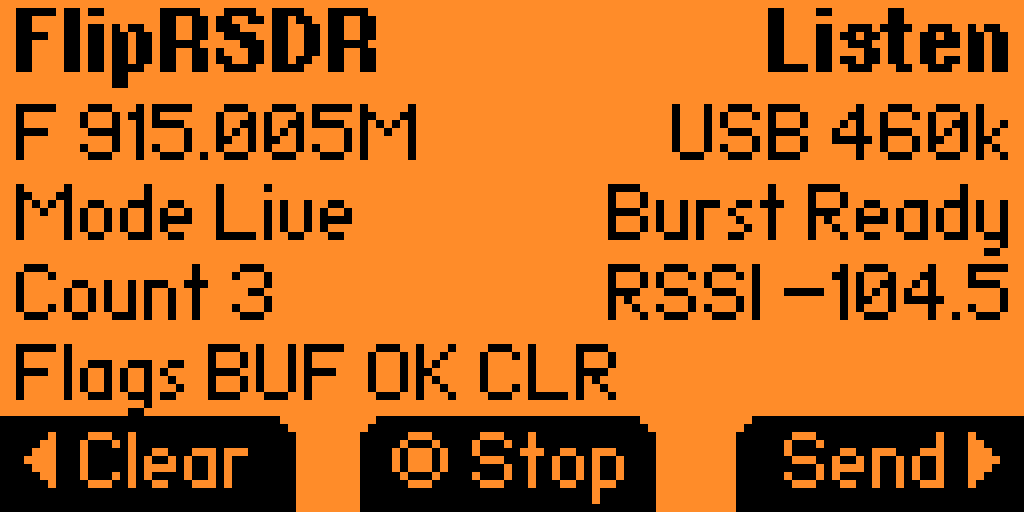
On the Flipper side, FlipRSDR captures demodulated Sub-GHz pulse/gap durations in microseconds using the firmware async receive path. It detects burst start, continuation, and completion from timing and idle-gap behavior, and it supports both live streaming and buffered workflows.
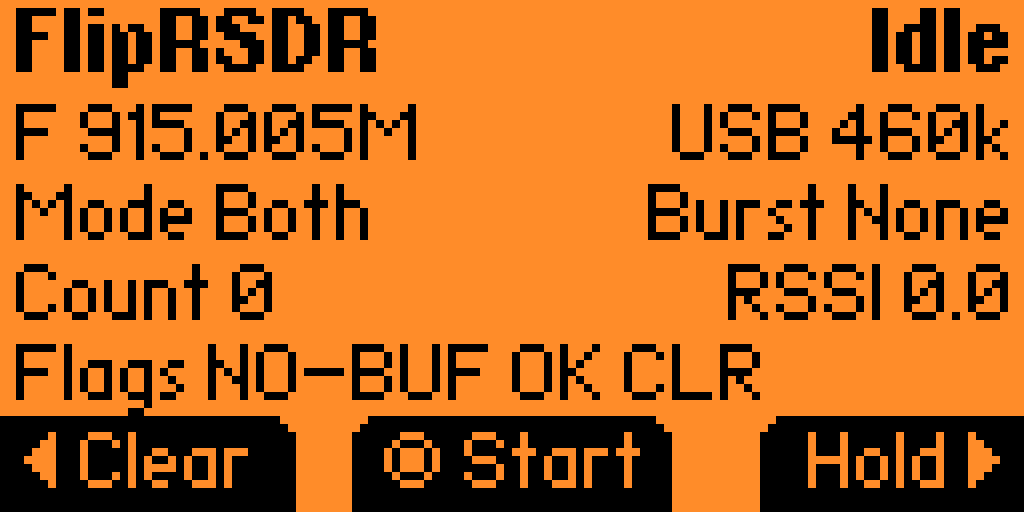
The main app flow is straightforward:
- Start or stop listening
- Clear the buffered burst
- Send the buffered burst manually
- Adjust transport, protocol, capture, and metadata settings
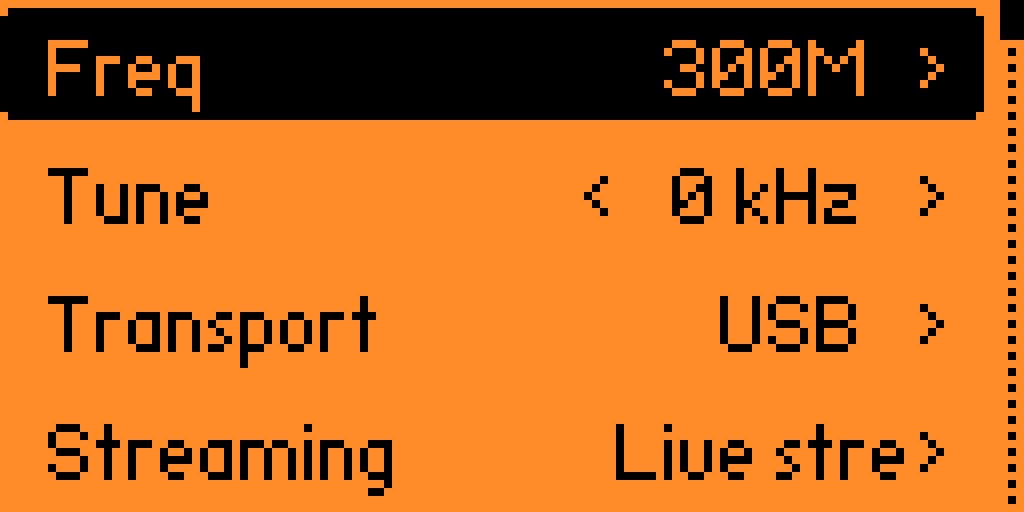
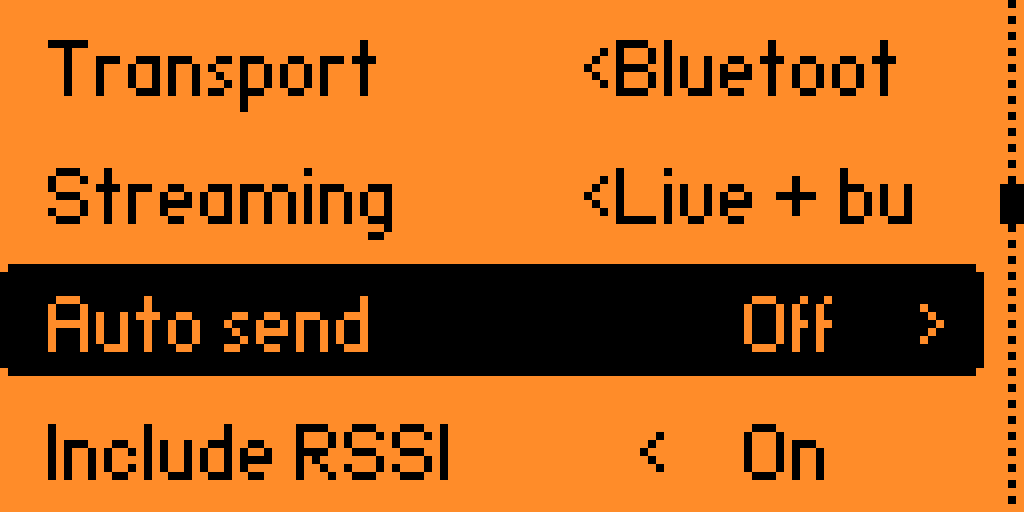
The settings menu exposes a surprisingly complete set of controls for a focused capture tool:
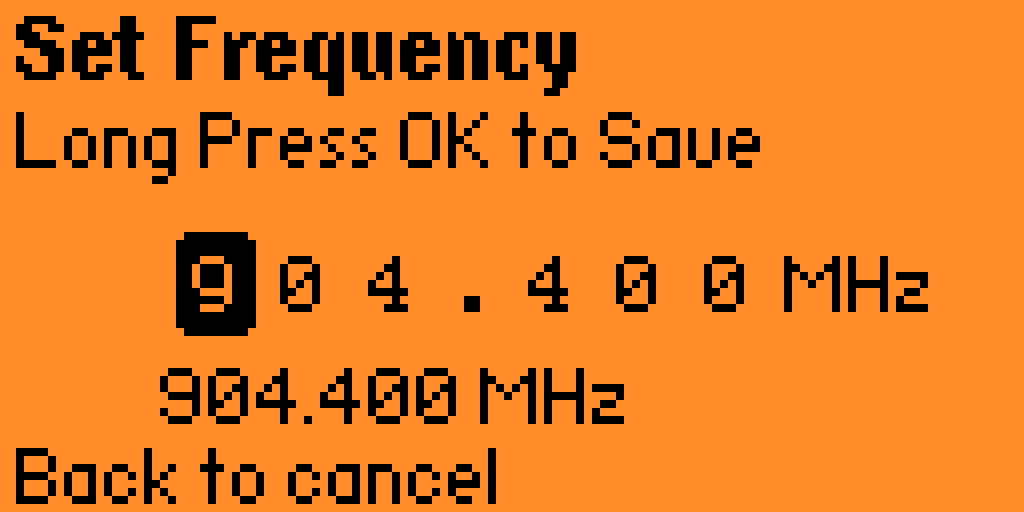
- Frequency preset and fine tuning
- USB or Bluetooth transport
fliprsdrbinary protocol or JSON debug format- Streaming mode: live, buffered, or both
- Auto-send after burst completion
- Optional RSSI and timestamp metadata
- Max pulse count
- Capture timeout
- Burst-end gap threshold
Flipper screenshots
| Set frequency page | Frequency menu |
|---|---|
 |  |
| Menu page 2 | Scanning screen |
|---|---|
 |  |
| Scanning idle |
|---|
 |
A compact custom protocol built for timing data
One of the strongest parts of this project is the transport design. The default serial format is a custom fliprsdr binary protocol that is clearly built around the realities of embedded devices and serial links.
The implemented protocol uses:
- COBS framing with
0x00delimiters - CRC-16/XMODEM for integrity checks
- Little-endian metadata fields
- Unsigned varints for timing arrays
- Packet types for
BURST_START,TIMING_CHUNK,BURST_END, andBURST_CAPTURE
This matters because raw timing streams can get large quickly, especially if you want to preserve exact durations and not just summarize them. The binary protocol keeps transport overhead down while staying simple enough to decode on both the Flipper and the desktop side.
There is also a JSON mode available for compatibility and debugging, which is a nice touch. That makes the project easier to inspect during development while still keeping the binary protocol as the default for actual use.
Live streaming and buffered capture modes
FlipRSDR does not force you into only one capture style.
For live workflows, it can emit:
BURST_START- One or more
TIMING_CHUNKpackets BURST_END
For buffered workflows, it prefers a single BURST_CAPTURE packet when the burst fits cleanly. If a burst is too large or truncated, it falls back to the segmented format automatically. That is a smart design choice because it preserves fidelity while staying realistic about transport and packet-size limits.
The app also tracks truncation and overflow state, which is exactly the kind of metadata you want when working with real captures instead of idealized ones.
Bidirectional transport and remote control
This is one of the most interesting additions to the project: the same USB or BLE link used for streaming data can also carry commands from the desktop back to the Flipper.
The currently supported remote commands are:
start_scanstop_scanset_frequency <value>set_rssi_threshold offset_rssi_threshold <-dBm>
That means the desktop receiver is no longer just a passive viewer. It can actively drive the Flipper capture workflow. You can connect, start scanning, adjust frequency, and change RSSI threshold from the PC without constantly interacting with the device.
That makes the whole setup much more usable on a bench, especially when you are iterating quickly or comparing multiple signals.
The desktop receiver app
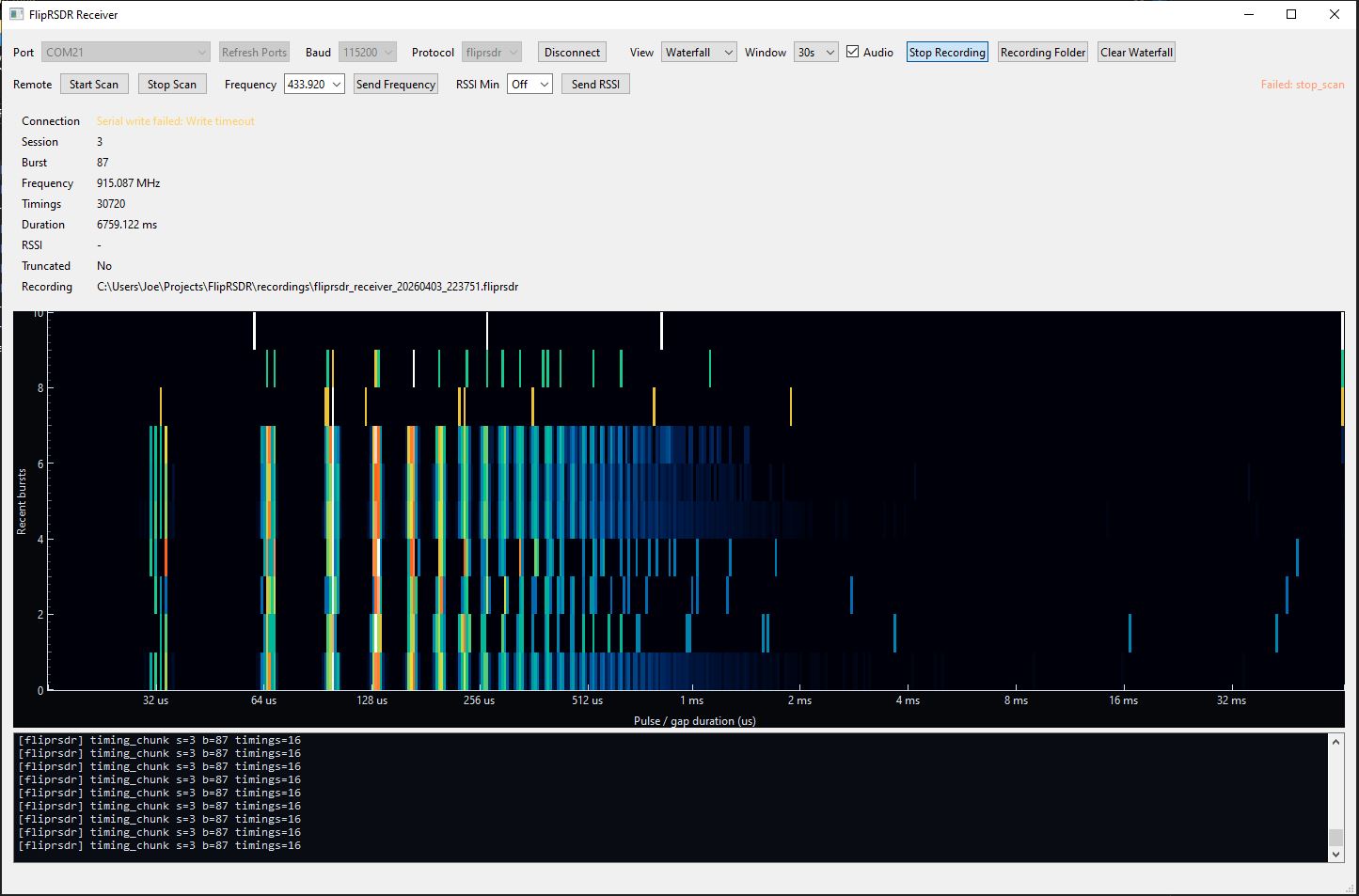
The Windows receiver companion is where the project starts to feel like a complete workflow instead of just a data pipe. It handles live serial ingest, visualizes incoming bursts, can record captures to disk, and now includes a remote-control panel for commanding the Flipper.
Features in the receiver include:
- Live ingest from Flipper serial output
- Support for both
fliprsdrbinary packets and legacy JSON - Waveform view of the current burst
- Waterfall view using log-duration bins and SDR-style coloring
- Recording completed bursts to
.fliprsdror JSONL - Optional audible playback of completed bursts
- Automatic port refresh while disconnected
- Last-port recall on restart
- Remote control UI for scan start/stop, frequency changes, and RSSI threshold updates
Receiver screenshot
What stands out here is the workflow quality. You are not just collecting bytes from a serial port. You can actually see timing structure, watch burst activity over time, save recordings, and interact with the capture device in one place.
Offline analysis with the analyzer app
The analyzer extends the workflow beyond live capture. Once you have recorded data, you can load it back in and inspect it at your own pace without needing the Flipper connected.
The analyzer supports:
- Loading saved
.fliprsdrrecordings - Loading legacy JSONL captures
- Replay over recording time
- Optional audio playback
- Per-burst waveform views
- Full recording waterfall views
- Burst timeline scrubbing
- Detection of repeated timing signatures
- Identification of likely frame-like bursts
- Lightweight short/long symbol decoding when the burst shape fits
Analyzer screenshot
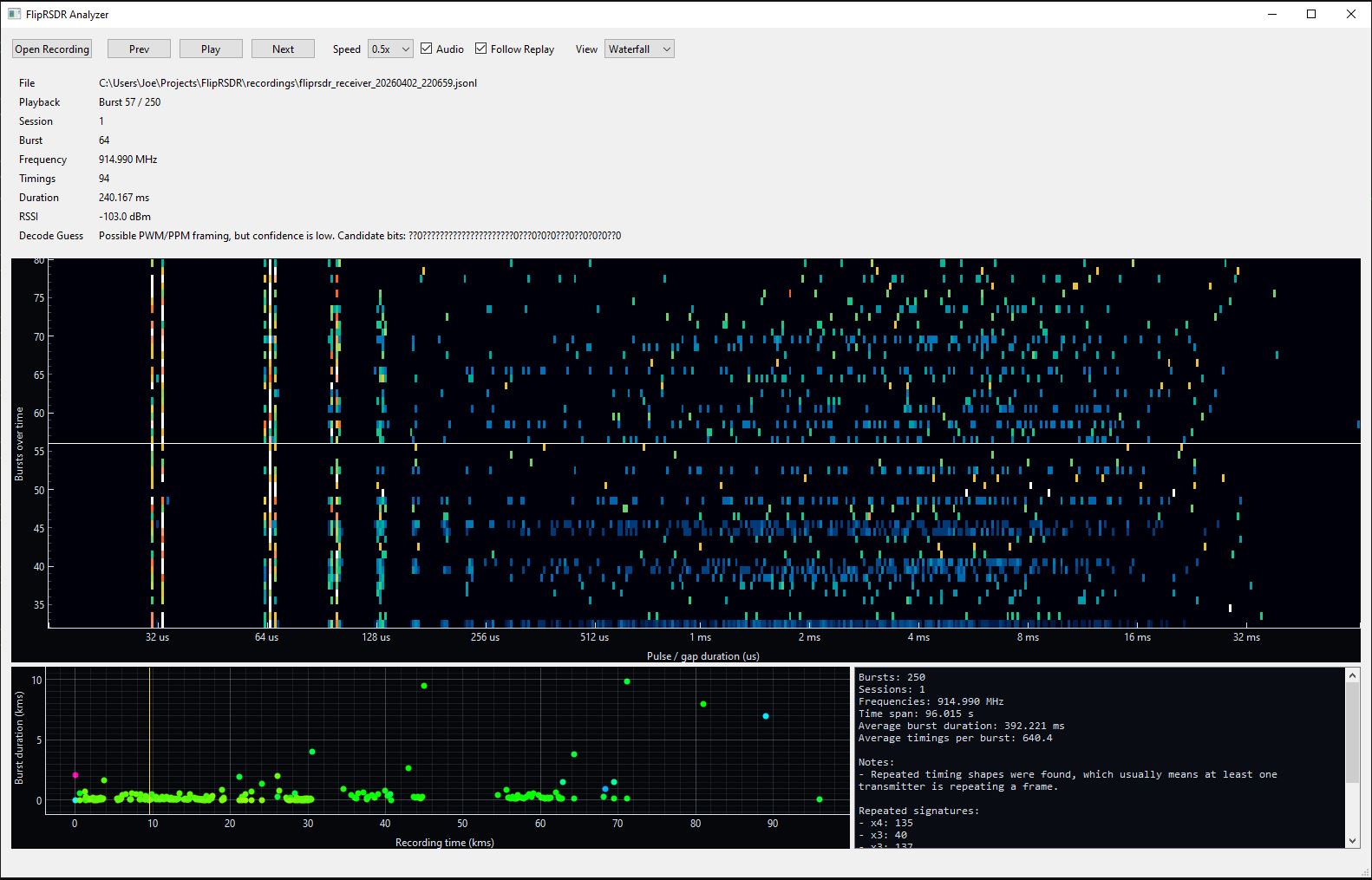
This is where the project becomes especially useful for reverse engineering and exploration. You can capture first, then step back and look for structure, repetition, and framing behavior in a much calmer environment.
Practical use cases
Projects like this are especially useful when you want to:
- Inspect unknown Sub-GHz remotes without committing to a decoder too early
- Compare burst timing consistency across repeated button presses
- Save captures for later analysis or sharing
- Build higher-level tooling on top of a stable raw timing representation
- Prototype custom decoders from real capture data
- Use the Flipper as a compact capture frontend while keeping analysis on the PC
Why the design is strong
A lot of the best engineering decisions here are the subtle ones:
- Timing-first capture instead of premature decoding
- Compact binary framing that is easy to recover from on a serial stream
- Support for both USB CDC and BLE serial
- Preserved
first_levelso pulse/gap ordering can be reconstructed exactly - Buffered and live modes for different workflows
- Remote-control support on the same link
- A clean separation between capture, receiver, and analyzer roles
That architecture makes the project flexible. You can use it casually as a viewer, or treat it as the base layer for more serious RF research and protocol work.
Build and project layout
The repository is organized clearly:
app/contains the Flipper capture, protocol, settings, and transport codereceiver/contains the live desktop companionanalyzer/contains the offline analysis toolfliprsdr_protocol.pyprovides shared Python-side encoding and decoding supportbuild.ps1,build_receiver.ps1, andbuild_analyzer.ps1handle builds for each piece
That split keeps responsibilities clean and makes the project easier to extend.
Final thoughts
FlipRSDR is a thoughtful project because it does not try to do everything at once. It chooses a narrow core problem, capturing raw Sub-GHz timing data well, and then builds a full workflow around that decision.
The result is a Flipper Zero capture app, a live receiver, an offline analyzer, a compact binary protocol, optional JSON compatibility, recording support, audio playback, waterfall and waveform visualization, and bidirectional remote control over USB or BLE.
For anyone doing Sub-GHz exploration, RF reverse engineering, or just wanting better raw-signal visibility from a Flipper Zero, this is a very compelling setup.
Try it yourself
The project repository is here:
- GitHub repo: jsammarco/FlipRSDR
If you want ready-made downloads instead of building everything yourself, the releases are here:
- All releases: FlipRSDR releases
- Windows desktop builds: Windows Builds (Receiver & Analyzer)
- Flipper app release: FlipRSDR – FAP Build
If you want to follow the project or try it yourself, start with the GitHub repo, grab the latest desktop .exe release or the .fap release from the releases page, and then pair the Flipper app with the receiver and analyzer to get the full experience.