Anyone who has ever supported printers on a network knows the scenario: someone says “the printer is out of toner”, but nobody knows which printer, what cartridge, or whether the device is even reachable. In small offices, home labs, and even larger environments, printers often sit quietly on the network until something breaks.
I built a small open-source Python toolkit to help solve that exact problem.
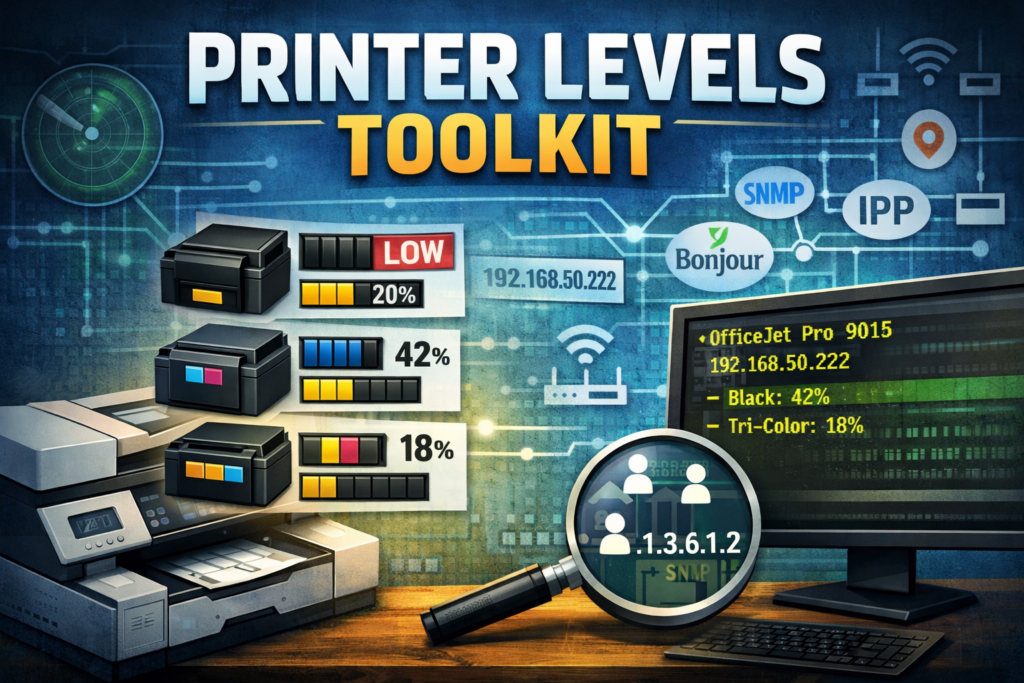
The project is called Printer Levels, and it focuses on quickly discovering printers on a network and reading their toner or ink levels using common protocols.
You can check out the full project here:
https://github.com/jsammarco/printer_levels
Why I Built Printer Levels
While troubleshooting printer issues, I often found myself manually checking several different things:
- Is the printer reachable on the network?
- Does it respond to SNMP?
- Is it advertising itself via mDNS / Bonjour?
- Does it expose supply information through IPP?
- Does the vendor provide a hidden XML or web endpoint with consumable data?
Different printers support different methods, and figuring that out usually means opening browser tabs, running SNMP tools, and testing various protocols.
So I decided to automate the process.
Printer Levels was built as a lightweight Python toolkit that can scan a network, identify printers, and try multiple methods to retrieve supply levels.
The goal is simple:
Quickly answer: Which printers exist on the network, and which ones are running low on toner?
What the Toolkit Does
The repository contains several small scripts that focus on different discovery and troubleshooting techniques.
Network Printer Scanning
The main script scans one or more subnets and queries printers using the standard Printer-MIB SNMP OIDs.
It can automatically detect local networks or scan a specific CIDR range.
Example:
python printer_levels.py --cidr 192.168.50.0/24
Typical output looks like this:
========================================================================
OfficeJet Pro 9015 (192.168.50.222)
  - Black: 42% (42/100)
  - Tri-Color: 18% (18/100)
This allows you to quickly see which printers are reachable and what their supply levels are.
Printer Discovery
Sometimes you don’t even know which IP addresses belong to printers.
The repository includes discovery scripts that help identify printer-like devices first, then query them for supply data.
The discovery logic checks common printer ports such as:
- 9100 – RAW printing
- 631 – IPP
- 515 – LPD
- 80 / 443 – Embedded web interfaces
Once a host looks like a printer, the script attempts SNMP queries.
mDNS / Bonjour Discovery
Many modern printers advertise themselves automatically on the network using Zeroconf / Bonjour.
The project includes a script that listens for these advertisements and lists printers discovered this way.
python mdsn_discover.py
This is especially useful in environments where you don’t know the subnet layout or when devices appear dynamically.
IPP Supply Queries
Some printers do not expose supply levels via SNMP but do expose them via IPP attributes.
The project includes a script that queries IPP endpoints for attributes like:
marker-levelsmarker-colorsmarker-names
Example:
python ipp_levels.py --host 192.168.50.222 --path /ipp/print
HP Embedded Web Server Extraction
HP printers often expose consumable data through hidden or undocumented web endpoints.
One of the scripts pulls structured XML data from:
/DevMgmt/ConsumableConfigDyn.xml
This endpoint frequently contains detailed cartridge information even when SNMP data is incomplete.
SNMP Debugging Tools
Another helper script walks raw SNMP OIDs so you can inspect exactly what a printer is reporting.
This is useful when:
- Supplies appear missing
- OIDs differ between models
- Vendor implementations deviate from the standard
The Core Technology
The main SNMP queries rely on Printer-MIB, which defines standard identifiers for printer information.
Examples include:
- Printer name
- Supply description
- Current supply level
- Maximum supply capacity
When both current level and max capacity are available, the script calculates a percentage.
Some printers return special values like -2 or -3, which indicate unknown or unsupported supply readings. The scripts handle these cases and label them appropriately.
Typical Use Cases
This toolkit works well for several real-world scenarios:
Small office troubleshooting
Quickly check toner levels across all printers.
Home lab diagnostics
Identify printers that respond to SNMP, IPP, or mDNS.
Network inventory
Discover devices that behave like printers even if they were never documented.
Protocol comparison
Compare how different printers expose data through SNMP, IPP, or vendor endpoints.
What It Does Not Do (Yet)
Right now the project focuses on diagnostics and discovery, not monitoring infrastructure.
It currently:
- Prints results to the console
- Does not store results in a database
- Does not include authentication beyond SNMP community strings
However, the foundation makes it easy to build future features such as:
- JSON or CSV output
- scheduled monitoring
- supply alerts
- reporting dashboards
- vendor-specific parsers
Security Considerations
These scripts perform active network discovery and query network services.
They should only be run on:
- networks you own
- networks you administer
- networks you are authorized to assess
Many printers still use default SNMP communities like public, which makes them easy to query but also highlights why printers are often a weak point in network security.
Why I Open-Sourced It
This project started as a practical troubleshooting tool, and it felt like something other people could benefit from as well.
Printers are one of those devices that everyone has to deal with, but very few tools exist for quickly inspecting how they behave across different protocols.
So the project is completely open source.
If you want to:
- learn about SNMP printer data
- experiment with network discovery
- build printer monitoring tools
- extend vendor-specific parsers
then grab the code and start hacking.
Final Thoughts
Printer infrastructure is one of those things that tends to grow organically over time.
Before long you have multiple printers, different models, various protocols, and nobody quite remembers how they were set up.
Printer Levels gives you a fast way to see what is actually happening on the network.
If you want help turning scripts like this into real monitoring tools, automation pipelines, or operational software, feel free to reach out.
ConsultingJoe.com